Thank you! Your submission has been received!
One verified profile. Unlimited opportunities.
Workers build portable, verified Skills Passports that work across every site and contractor - eliminating repetitive onboarding while giving operators real-time compliance visibility.


How worker-controlled data solves all three problems
Skills Passports eliminate verification duplication, reduce your cyber liability, and deliver verified data you can trust - through one fundamental shift: workers control their credentials, you access verified truth.
From spreadsheet chaos to real-time visibility
Workers create one comprehensive Skills Passport. When they move from Contractor A to Contractor B on your site, both contractors access the same verified profile - eliminating duplicate verification and spreadsheet chasing across your supply chain.
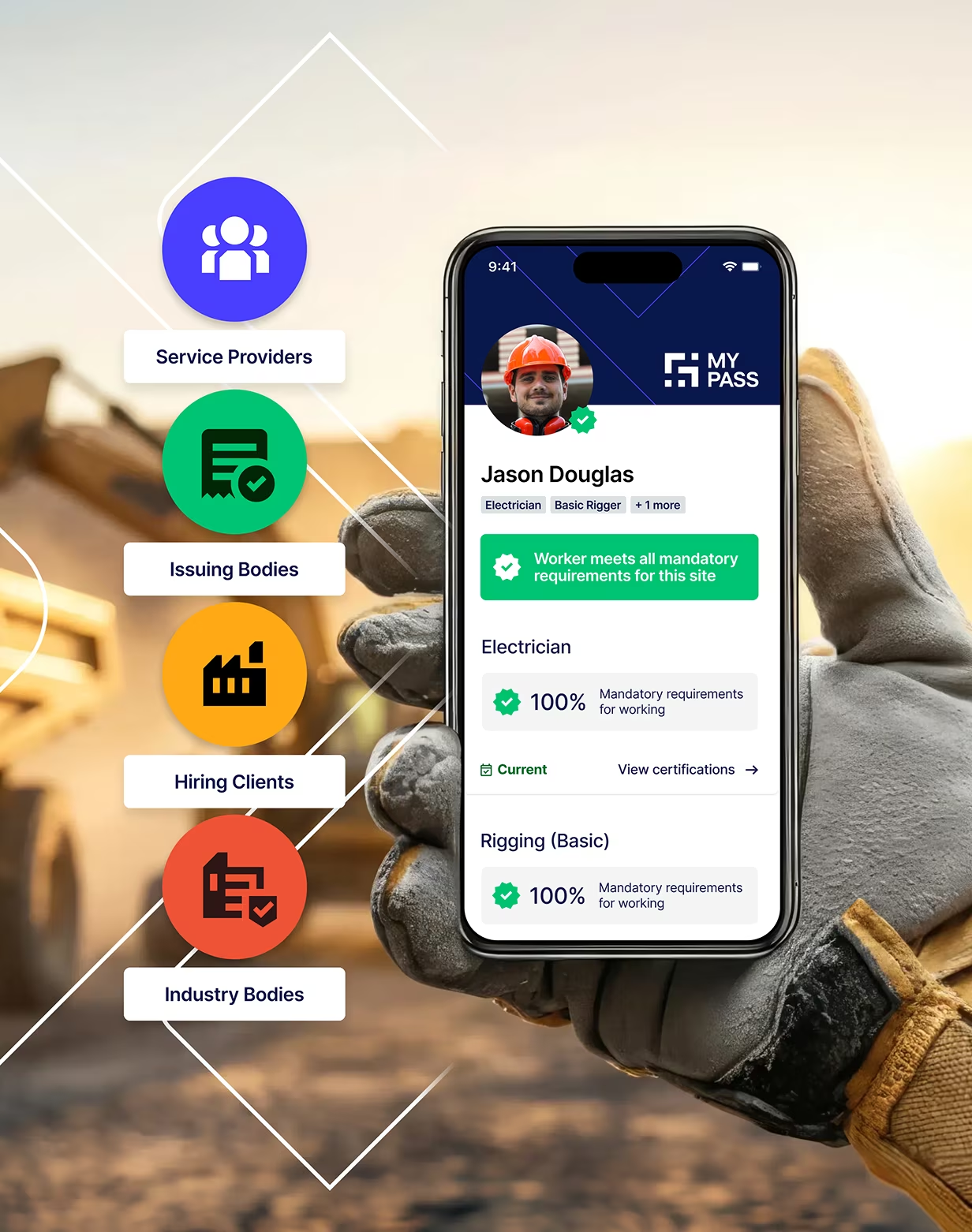
One verified profile, multiple access points
Traditional systems make employers the data custodians - creating cyber liability and duplication. Skills Passports make workers the data controllers. You access shared verified data rather than storing worker PII, getting direct visibility into contractor workforces without each contractor building duplicate systems.
Protection that scales
Industry-unique duplicate prevention ensures one verified record per worker - preventing workers dismissed for misconduct from creating multiple profiles or re-entering your workforce through different contractors.
Building trust through verified data
%20(1).webp)
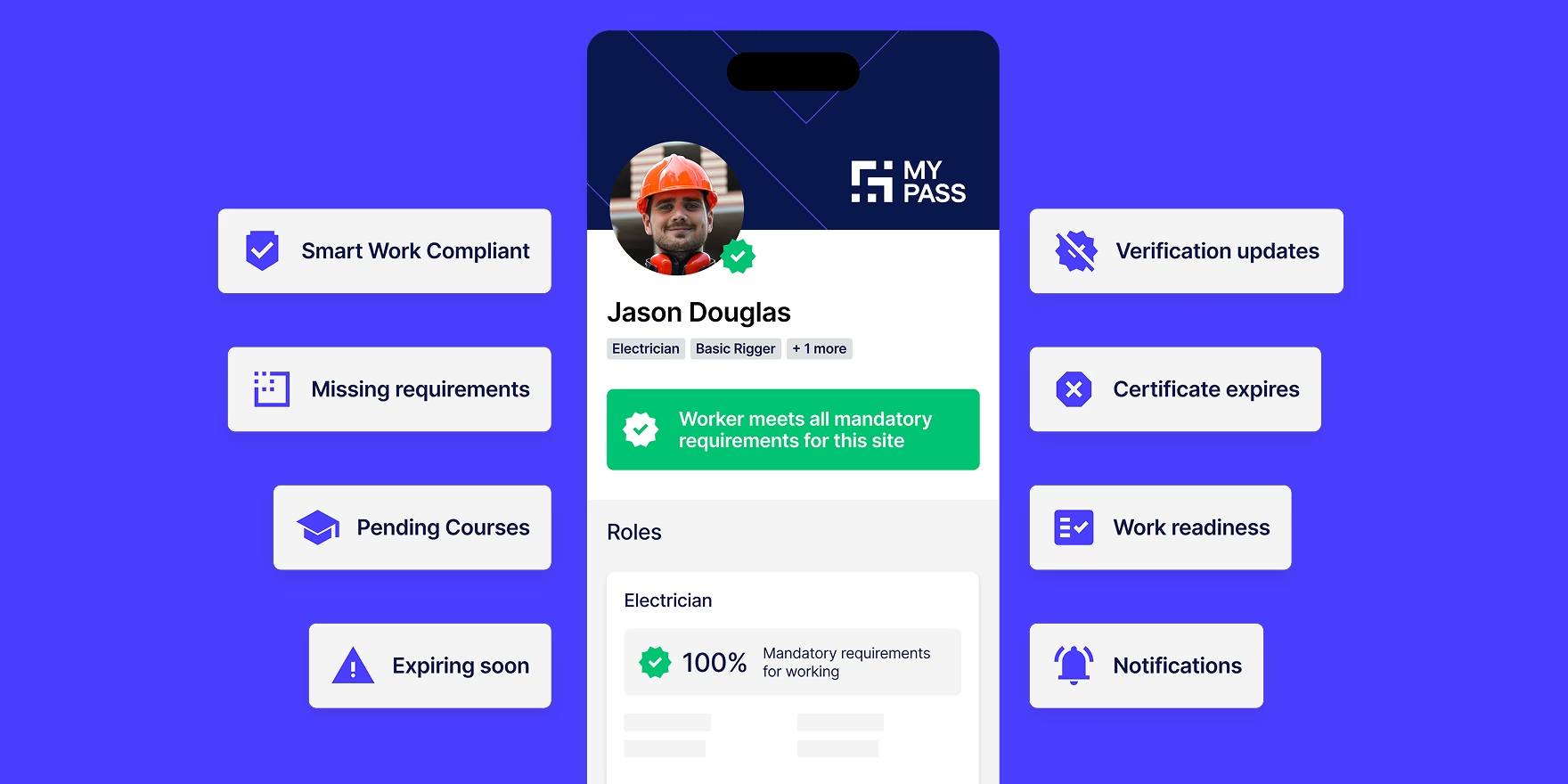
Workers Build Their Passport
Workers create comprehensive profiles including qualifications, certifications, high-risk work licences, training records, work history, and medical documents.
Available as a mobile app (Australia & New Zealand): Workers manage credentials on the go via iOS and Android. Upload documents with device camera, accept role invitations instantly, and receive push notifications for expiring qualifications. Features biometric login and syncs automatically with the web platform.
.webp)
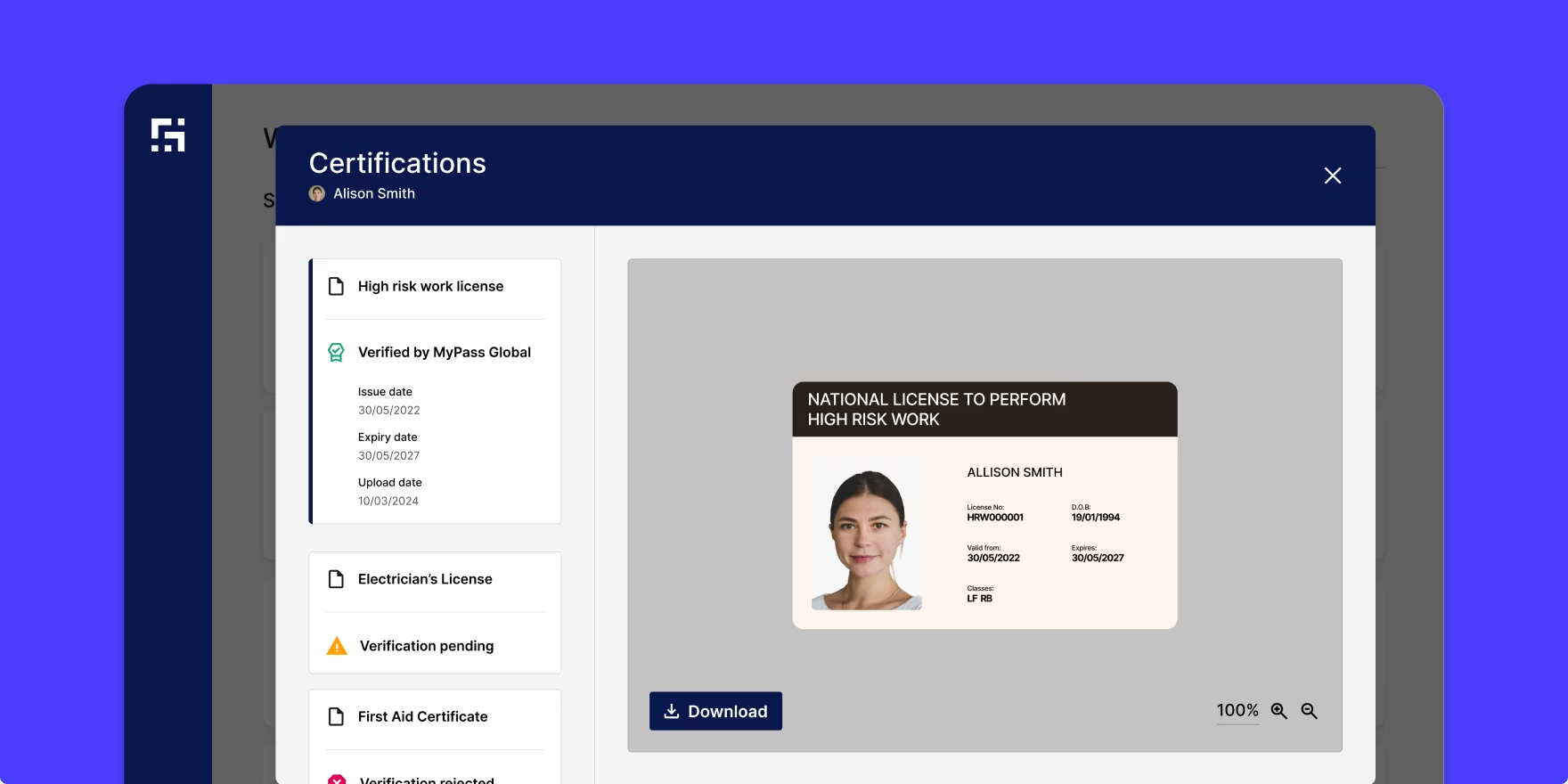
MyPass Verifies at Source
MyPass validates documents through:
- Direct feeds from issuing authorities (where available)
- Certificate libraries with unique code matching
- Comprehensive duplicate detection
- Fraud prevention algorithms
- Specialist verification team review
.webp)
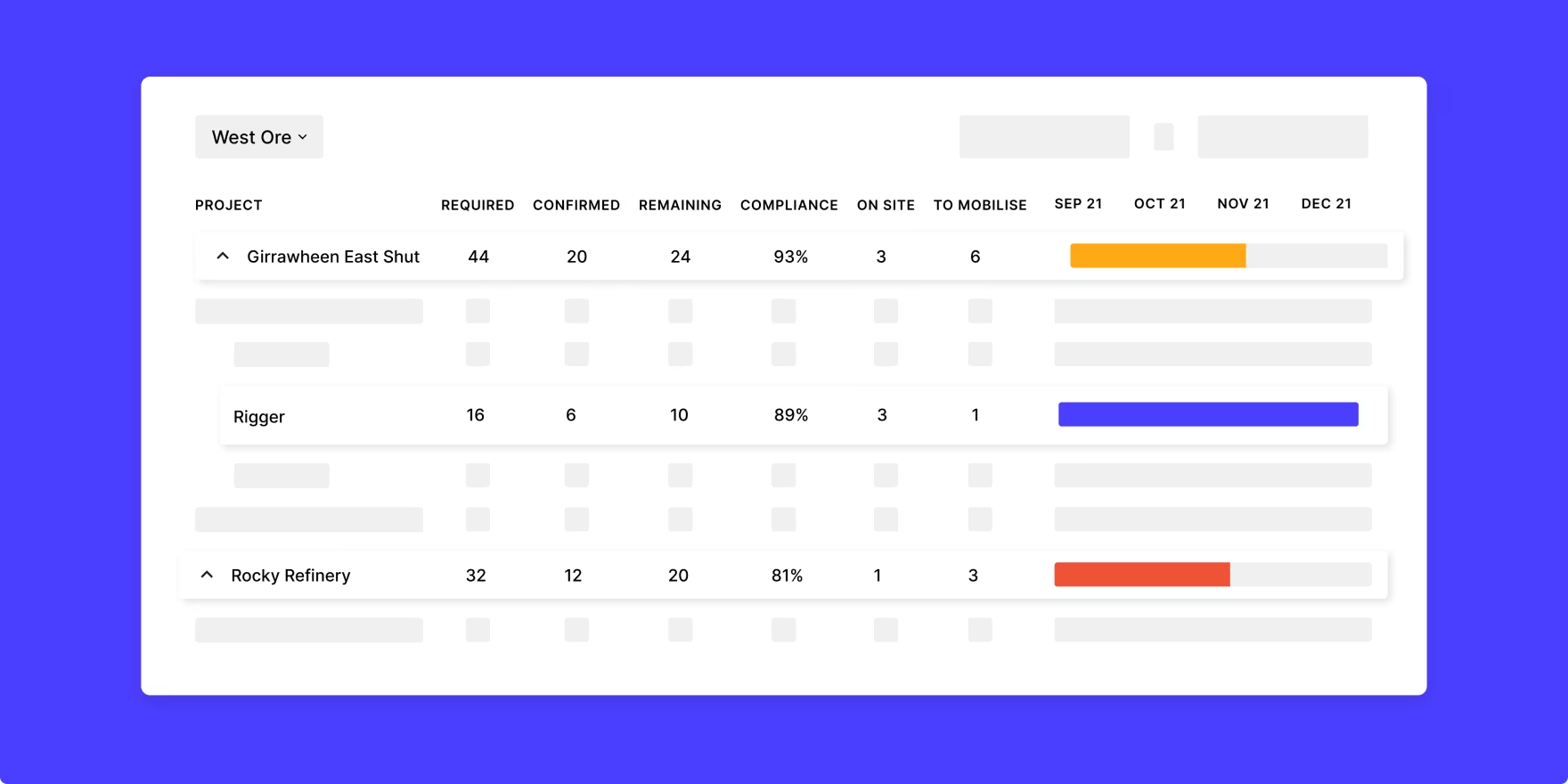
Employers Access Verified Data
Workers grant access to employers:
- Real-time compliance status
- Automated expiry alerts (90, 60, 30 days)
- Mobile QR verification in field
- Integration with site access systems
- Portable across all sites and projects
27%
Reduction in non-compliant worker access
3X
Faster mobilisation
35
Fraudulent certificates intercepted monthly (average)
100
Hours saved per compliance cycle
Leading industry standardisation efforts
MyPass powers industry-wide standardisation initiatives like Verisafe's common framework for High Risk Work Licences, enabling asset owners to reduce duplication while maintaining rigorous verification standards

HOT 30 WINNER
Core Innovation Hot 30 2023

TECH FAST 50 WINNER
Deloitte Tech Fast 50 2023

AUSTRALIAN BUSINESS AWARDS
Process Innovation Winner 2021

WA INNOVATOR OF THE YEAR
Growth Finalist 2021

AWARD FOR EXCELLENCE
People’s Choice Finalist

MOST INNOVATIVE COMPANIES
Category Winner 2023

MINING MAGAZINE AWARDS
Software Excellence Award Winner

COVID-19 INNOVATION FUND
Innovation Award 2020

AUSTRALIAN TECHNOLOGIES
Best Technology Winner 2019
Helping our customers do more
Sign up for our newsletter

How Skills Passports enable connected workforce solutions
The Skills Passport is the foundation - see how it powers comprehensive workforce management across different use cases.
Skills Passport Data Feeds Into Your Systems
Workers’ Skills Passports connect to Industry Portal, which integrates with your existing systems - creating a complete workforce compliance solution.
Common questions about MyPass Skills Passport
How is the Skills Passport different from a traditional worker profile?
A Skills Passport is worker-owned and portable. Traditional systems have employers maintain separate records for each worker, creating data silos, duplicate verification, and compliance blind spots across the supply chain. With a Skills Passport, workers build one verified profile that follows them across every employer, site, and project. Operators access shared verified data rather than each building their own duplicate records.
The practical difference: a worker moving from one contractor to another on your site doesn't get re-verified from scratch. Their qualifications are already confirmed. Industry audits find 1 in 650 workers carries a fraudulent document. MyPass catches these at the source rather than relying on each employer to independently spot them.
What credentials can be stored in a Skills Passport?
A Skills Passport holds qualifications, certifications, high-risk work licences, training records, work history, and medical documents. In Australia and New Zealand this includes trade licences, white cards, confined space entry, working at heights, first aid, site-specific inductions, and any role-specific competency records required by operators or industry bodies.
Workers upload documents directly via the mobile app or web platform. MyPass validates each document through direct feeds from issuing authorities where available, certificate libraries with unique code matching, and specialist verification team review. Documents that cannot be confirmed are flagged rather than accepted.
Who can see worker information in their Skills Passport?
Workers control who sees their Skills Passport. Access is granted by the worker to specific employers for specific timeframes and can be revoked when an engagement ends. Workers are the data controller, not the employer and not MyPass.
Employers who have been granted access see real-time compliance status, credential documents, and expiry alerts. They do not retain a copy of the worker's data when access is revoked. This architecture reduces employer cyber liability compared to traditional models where employers store and maintain worker PII directly.
How do you verify the documents in Skills Passports are legitimate?
MyPass verifies documents through direct feeds from issuing authorities where available, certificate libraries with unique code matching, fraud prevention algorithms, and specialist verification team review. This is the difference between knowing a worker is qualified and trusting that they are.
A scanned PDF can be expired, altered, or belonging to a different person. Document verification through MyPass confirms the credential is current, valid, and held by that specific worker, not just that a document exists. MyPass intercepts an average of 35 fraudulent certificates per month across the platform.
What happens when a worker's qualification expires?
Workers receive automated reminders at 90, 60, and 30 days before a qualification expires. They upload the renewed document directly through the mobile app or web platform. Employers with access to that worker's passport see the updated status in real time.
If a qualification lapses without renewal, the credential is flagged as expired in the worker's profile and any employer with access sees this immediately. Workers with expired critical qualifications are identifiable before mobilisation rather than after arrival at the gate.
Can workers access their Skills Passport through a mobile app?
Yes. The MyPass mobile app is available on iOS and Android for workers in Australia and New Zealand. Workers can upload documents using their device camera, accept role invitations, view their compliance status, and receive push notifications for expiring qualifications. The app uses biometric login and syncs automatically with the web platform.
Employers can verify worker credentials in the field by scanning a worker's QR code from any mobile browser, with no app download required on the supervisor's device.
Does the Skills Passport work offline or in remote locations?
Workers can access and display their Skills Passport credentials offline once the app has loaded. Supervisors verifying credentials via QR code require an internet connection at the point of scan. For remote sites with limited connectivity, workers can display their credential status from a previously loaded session on the app.
MyPass is designed for use in mining, oil and gas, energy, and construction environments where remote access is a standard operational consideration.
Is the Skills Passport free for workers?
Yes. Workers create and manage their Skills Passport at no cost. The platform is free for workers to use, including the mobile app, document uploads, and credential sharing with employers.
Employers and operators pay for access to the Industry Portal, which gives them compliance dashboards, workforce visibility, automated alerts, and integration with site access systems. Workers are never charged to verify their credentials or share their profile with an employer.
How does the duplicate worker detection work?
MyPass maintains one verified record per worker across the entire platform, not just within a single employer's account. When a new worker profile is created, it is checked against existing records to identify duplicate accounts. Workers who have been dismissed for misconduct by one employer cannot create a fresh profile and re-enter a workforce through a different contractor without that history being flagged.
This is an industry-unique capability. Traditional employer-siloed systems have no visibility across organisations, meaning a worker's record at one company is invisible to another. MyPass operates as shared infrastructure across the industry, which is what makes cross-employer duplicate detection possible.
How does the Skills Passport handle workers in different countries?
Yes. Workers create and manage their Skills Passport at no cost. The platform is free for workers to use, including the mobile app, document uploads, and credential sharing with employers.
Employers and operators pay for access to the Industry Portal, which gives them compliance dashboards, workforce visibility, automated alerts, and integration with site access systems. Workers are never charged to verify their credentials or share their profile with an employer.
Is the Skills Passport free for workers?
Yes. Workers create and manage their Skills Passport at no cost. The platform is free for workers to use, including the mobile app, document uploads, and credential sharing with employers.
Employers and operators pay for access to the Industry Portal, which gives them compliance dashboards, workforce visibility, automated alerts, and integration with site access systems. Workers are never charged to verify their credentials or share their profile with an employer.
How does the duplicate worker detection work?
MyPass maintains one verified record per worker across the entire platform, not just within a single employer's account. When a new worker profile is created, it is checked against existing records to identify duplicate accounts. Workers who have been dismissed for misconduct by one employer cannot create a fresh profile and re-enter a workforce through a different contractor without that history being flagged.
This is an industry-unique capability. Traditional employer-siloed systems have no visibility across organisations, meaning a worker's record at one company is invisible to another. MyPass operates as shared infrastructure across the industry, which is what makes cross-employer duplicate detection possible.
How does the Skills Passport handle workers in different countries?
MyPass operates across Australia, New Zealand, and Chile, with credential verification adapted to each country's regulatory and licensing frameworks. Workers operating across these regions hold one passport with country-specific qualifications verified against the relevant issuing authorities in each jurisdiction.
For operators managing cross-border workforces, Skills Passports carry the worker's full credential history regardless of which country the work was originally verified in, with site and role requirements set by the operator for the specific jurisdiction.
What training or onboarding do workers need to use the Skills Passport?
Workers typically complete setup in under 30 minutes. The process involves creating a profile, uploading existing credential documents, and connecting with an employer or contractor who is already using MyPass. Workers receive guided prompts through each step on the mobile app or web platform.
No technical background is required. The platform is designed for tradespeople, labourers, and specialist contractors across mining, oil and gas, energy, and construction. Daniel Terblanche, a Boilermaker Leading Hand at Programmed, noted that what previously took up to a week and a half to get documents approved now takes a day using MyPass.
Still have questions?
Didn’t find the answers you’re looking for? Get in touch with the team at MyPass
Get in touch
See Skills Passport in Action
ISO27001 Certified
Description
Trusted by 1,500+ organisations
Description
.webp)
The latest from MyPass
See what’s happening with MyPass and how you can get involved


.png)
Press
MyPass secures A$7.5m from OneVentures in Series A raise, plans to scale innovative workforce credentials management platform globally.
MyPass Global, the industry platform for workforce competency assurance, announced it had raised A$7.5 million in Series A funding led by Australian venture capital firm OneVentures.
Read article
Feb 17, 2026